Arabic Typing Test
Measure your Arabic typing speed and accuracy in seconds. No Arabic keyboard? No problem — your normal keys are mapped to the Arabic layout, so anyone can practice.
Quick answer: A good Arabic typing speed is about 20 WPM for everyday use, 30–40 WPM is fast, and 50+ WPM is professional. Beginners usually start around 10–15 WPM. Take the test above to measure your own speed, accuracy and errors in real time.
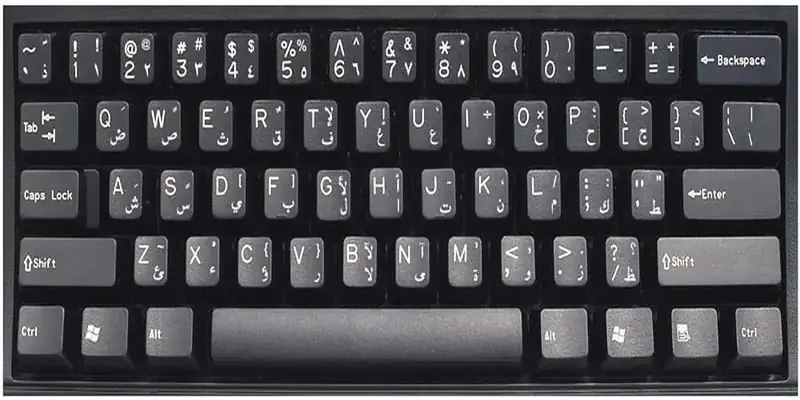
Practise Arabic typing, wherever you are
This Arabic typing test helps students, secretaries and translators across the Maghreb, the Middle East and the diaspora build real speed in Arabic — on the physical layout or by transliteration.
Background: Touch typing. See also the Arabic Keyboard hub and English to Arabic typing.
How the Arabic Typing Test Works
A short Arabic sentence appears in the box above. Retype it as quickly and accurately as you can:
- The timer starts on your first keystroke — no pressure before then.
- Letters turn green when correct and red when wrong, with the next letter highlighted.
- Your speed updates live — WPM (words per minute), CPM (characters per minute), accuracy and error count.
- Finish the sentence to see your final score, then hit Restart or load a new one.
No Arabic keyboard? You can still practise
The test maps your physical keys to the standard Arabic (101) layout — the same one on real Arabic keyboards. Press H for ا, J for ت, F for ب, and so on. If you already have an Arabic keyboard enabled, that works here too. To set one up, see Windows, Mac or iPhone.
What Is a Good Arabic Typing Speed? (WPM Benchmarks)
Typing speed is personal, but these bands are a realistic guide for Arabic:
| Level | Speed (WPM) | What it feels like |
|---|---|---|
| Beginner | 10–20 | Hunt-and-peck, looking at the keys |
| Average | 20–30 | Comfortable everyday typing |
| Fast | 30–45 | Touch typing without looking |
| Professional | 50–70 | Data entry, transcription |
| Expert | 70+ | Top typists and competitors |
Why Arabic can feel slower than English
Arabic is written right to left, letters change shape depending on their position in a word, and full texts may carry harakat (vowel marks). That extra visual processing means raw WPM is often a little lower than in English — which is exactly why many typists also track CPM (characters per minute), a fairer measure for Arabic’s shorter words. The formula is simple: WPM = (characters ÷ 5) ÷ minutes.
How to Type Arabic Faster — Tips
- Learn the home row first: ش س ي ب ل ا ت ن م ك (the keys a s d f g h j k l ;). The most common letters live here.
- Don’t look down. Trust your fingers and use the green/red feedback — looking at the keys is the #1 speed killer.
- Accuracy before speed. Slow, correct typing builds muscle memory; speed follows on its own.
- Practise short bursts daily rather than one long session — 10–15 focused minutes beats an hour once a week.
- Master the tricky keys: hamza forms (ء أ إ ؤ ئ) and harakat live on the number and Shift rows — see how to type hamza and harakat.
A realistic timeline
Most people start at hunt-and-peck (10–15 WPM), reach a comfortable 25–35 WPM within a few weeks of daily practice, and hit 40–60+ WPM in a couple of months. When you actually need to write something, switch to the full online Arabic keyboard (it also has transliteration and harakat).
Why Arabic typing feels slower than English at first
Almost everyone posts a much lower number on their first Arabic typing test than they expected, including people who touch-type English at speed. There are three specific reasons, and all three fade.
The shift layer is busy. Arabic has more characters than a keyboard has keys, so the hamza forms, the harakat and the Arabic punctuation all live on shift. Real Arabic text uses shift far more than English does, and shift hesitation is where most of the lost seconds go in an Arabic typing test.
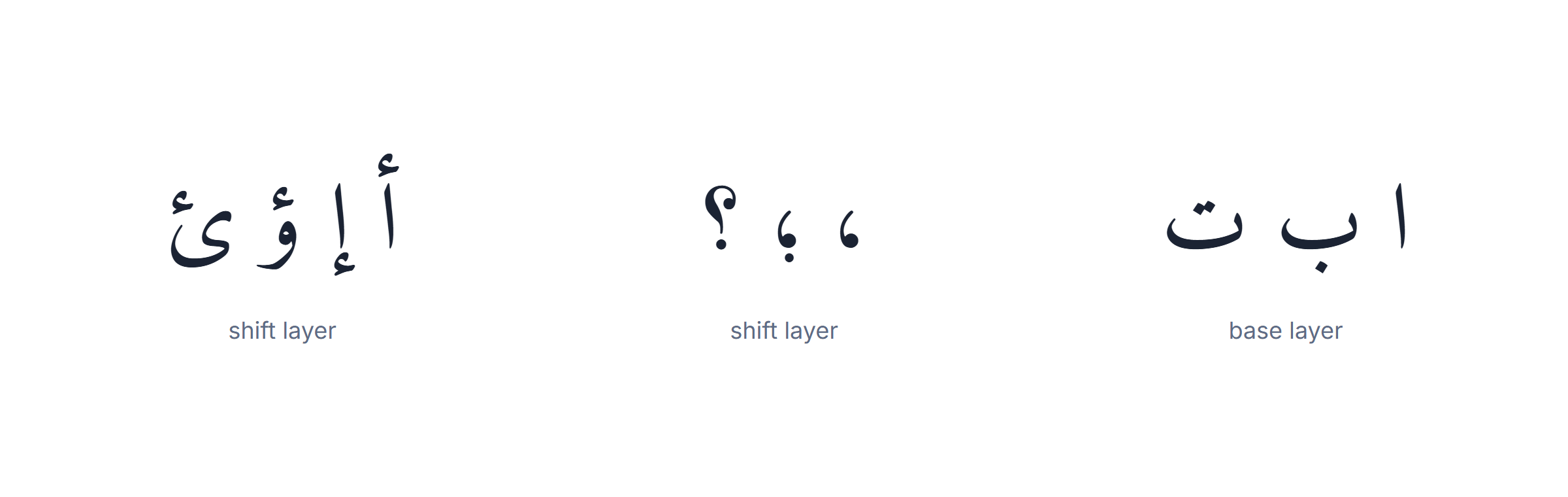
The letters look alike in families. ب ت ث differ only in dots, and so do ج ح خ. Your eye has to resolve the dots before your finger commits, and that check costs a fraction of a second per character until recognition becomes automatic.
Right-to-left breaks your error instinct. In English you glance at the end of the line to see what you just typed. In Arabic the newest character is on the left of a right-aligned line, and until that feels natural you check more often than you need to.
The good news is the arithmetic runs the other way. Arabic does not write short vowels, so words are short in keystrokes — a three-syllable word is often three or four presses. Once the three obstacles above clear, an Arabic typing test rewards you for that. Compare your score against your own from last week, never against an English number.
Accuracy beats speed, and an Arabic typing test shows why
Chasing raw speed is the most common way to plateau. Here is the arithmetic that usually changes people’s minds.
Correcting one mistake costs far more than typing one character: you notice it, stop, reposition, delete and retype. At 95% accuracy you are correcting one character in twenty, and the corrections alone can eat a fifth of your session. Slowing down until you are near-perfect almost always produces a higher net score on the next Arabic typing test, not a lower one.
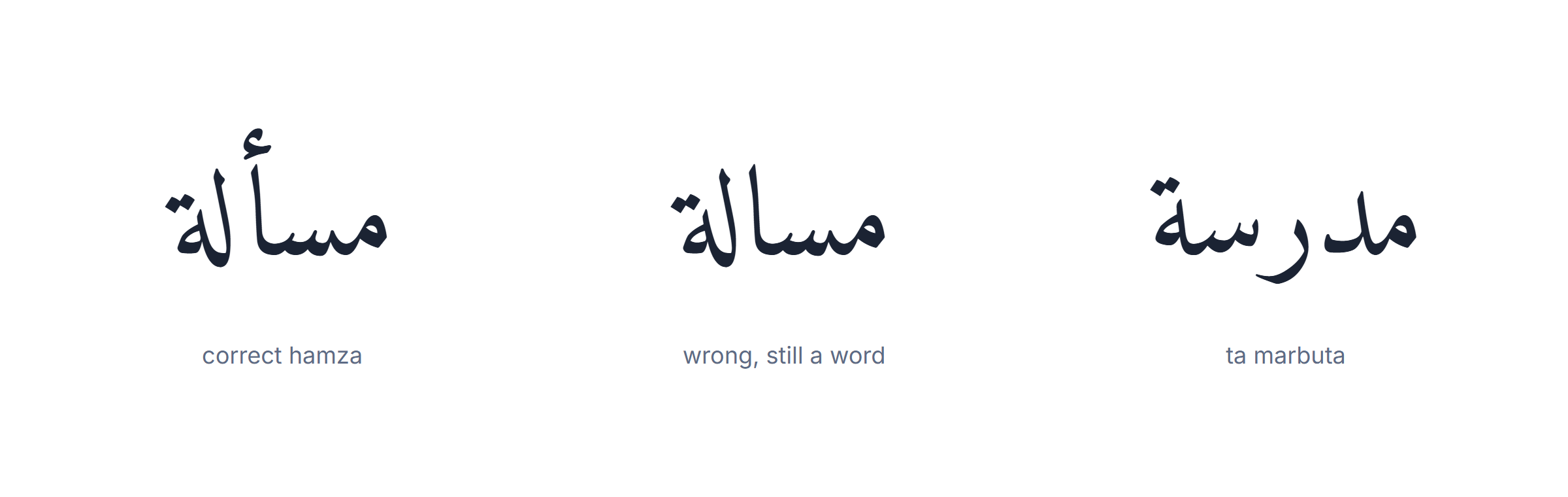
Arabic adds a category of mistake English does not have, and it is the one worth hunting. Hamza errors — typing ا where the word needs أ or إ — do not look wrong at a glance and are not caught by eye. Ta marbuta ة typed as ه is the same class of error. Both produce a real word, which is exactly why they survive proofreading.
A practical routine: run the Arabic typing test once at a comfortable pace and note the errors rather than the score. If they cluster on one letter family, drill that family for a week. If they cluster on the shift layer, drill hamza and punctuation on their own. Random errors mean you are simply going too fast.
Speed follows accuracy in every keyboard layout that has ever been studied, and Arabic is not an exception. The only thing Arabic changes is which errors to look for.
A three-week plan to raise your Arabic typing test score
Ten minutes a day, in this order. The order matters more than the total time.
Week one — the home row only. Nine letters carry a large share of ordinary Arabic: ش س ي ب ل ا ت ن م. Do not add a second row until you can type those without looking. Skipping this is why most people stall.
Week two — real words, never letter drills. Type the twenty words you would actually write: greetings, your name, your city, the people you message. Muscle memory attaches to words, not to alphabets, and an Arabic typing test uses real text rather than random letters for the same reason.
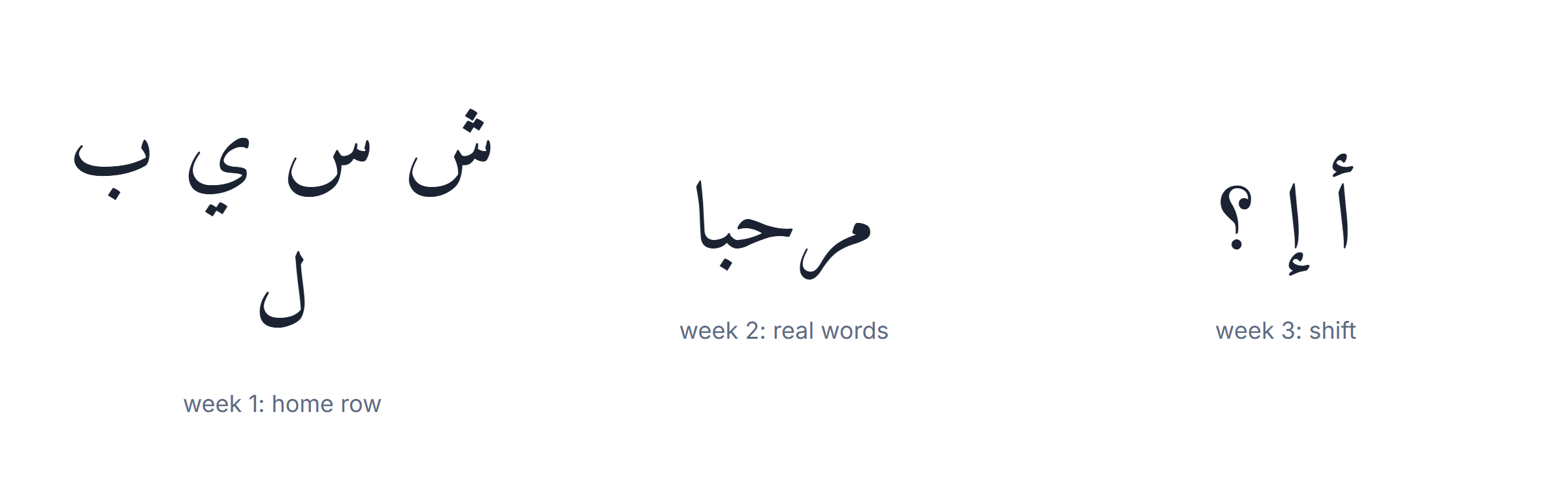
Week three — the shift layer, deliberately. Spend a whole session on nothing but hamza forms and Arabic punctuation. It feels like a detour and it is where the remaining speed is hiding.
Then measure, weekly, not daily. Daily scores swing with sleep, keyboard and text difficulty, so a daily Arabic typing test tells you about the day, not about your progress. A weekly one at the same time of day is a real signal.
What to expect: a usable speed — enough to write a message without suffering — after three or four weeks of short sessions. Matching your English speed takes months, exactly as English did the first time. Anyone promising faster is selling something.
Two things that help more than extra minutes. Type text you care about — a message you were going to send anyway beats any exercise. And fix your posture before your speed: most people who cannot pass a plateau on an Arabic typing test are looking down at the keys, which caps everyone at roughly the same ceiling regardless of language.
Which layout you test on changes the number
An Arabic typing test measures you plus your layout, and there are three in common use. Comparing a score from one against a score from another tells you nothing.
The standard Arabic layout (ASMO 449) is what Windows, macOS and every physical Arabic keyboard use. It is the one worth learning, because it is the same everywhere and it is what any Arabic typing test assumes by default.
The phonetic layout lets you write salam and get سلام. It is far faster on day one and it stops improving early, because you are typing Latin letters and the conversion does the Arabic. A phonetic score is not comparable to a standard-layout score at all.
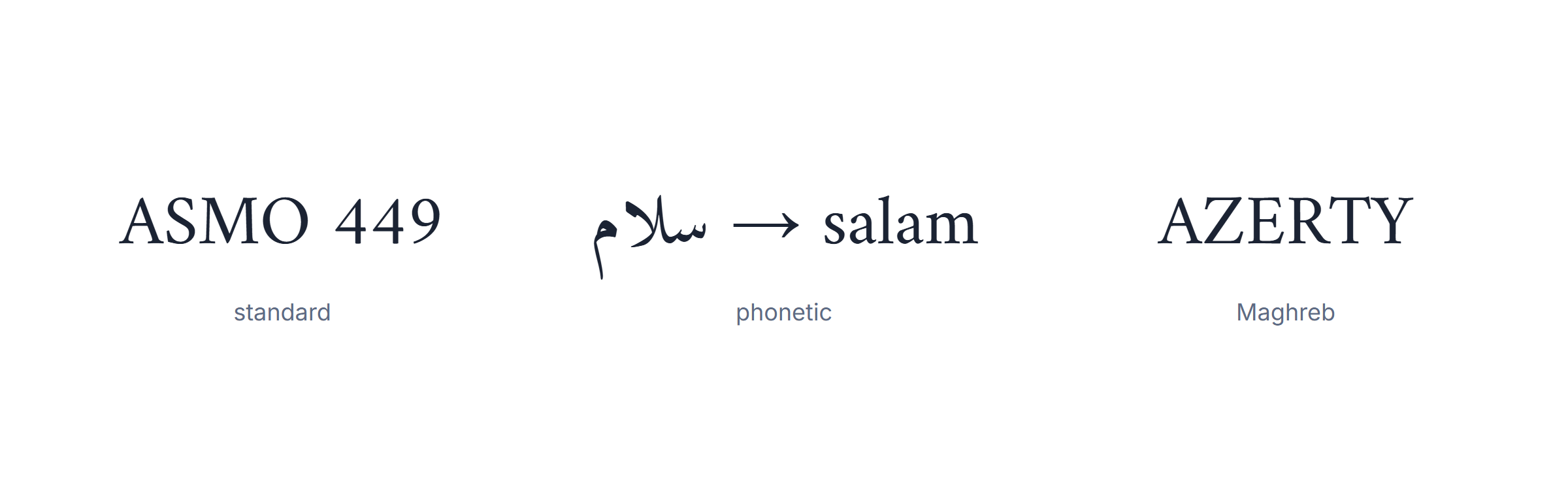
The AZERTY Arabic layout maps Arabic letters onto French key positions and is common in the Maghreb. Muscle memory built on it does not transfer to a QWERTY-based Arabic layout, which surprises people who change computers.
Two more things move the number more than most people expect. The text itself: a passage full of hamza forms and proper nouns is genuinely slower than plain prose, so a good Arabic typing test uses ordinary sentences rather than showy vocabulary. And harakat: fully vowelled text roughly doubles the keystrokes per word, because every consonant can carry a mark. Modern Arabic is written without them, which is why a test on unvowelled text reflects real writing.
Practical rule: pick one layout, one test and one time of day, and only ever compare that combination with itself. Every Arabic typing test result you see quoted elsewhere is missing at least two of those three variables.
Typing Arabic on a phone, and why the test is different there
Most Arabic typed today is typed with thumbs, and almost no advice about an Arabic typing test accounts for it. The mechanics are genuinely different.
On a phone you are not touch-typing at all — you read every key before pressing it, so the letter-recognition problem that fades on a physical keyboard never fully goes away. What replaces it is prediction: the suggestion bar finishes most words, and skill becomes knowing when to accept a suggestion rather than knowing where a letter is.
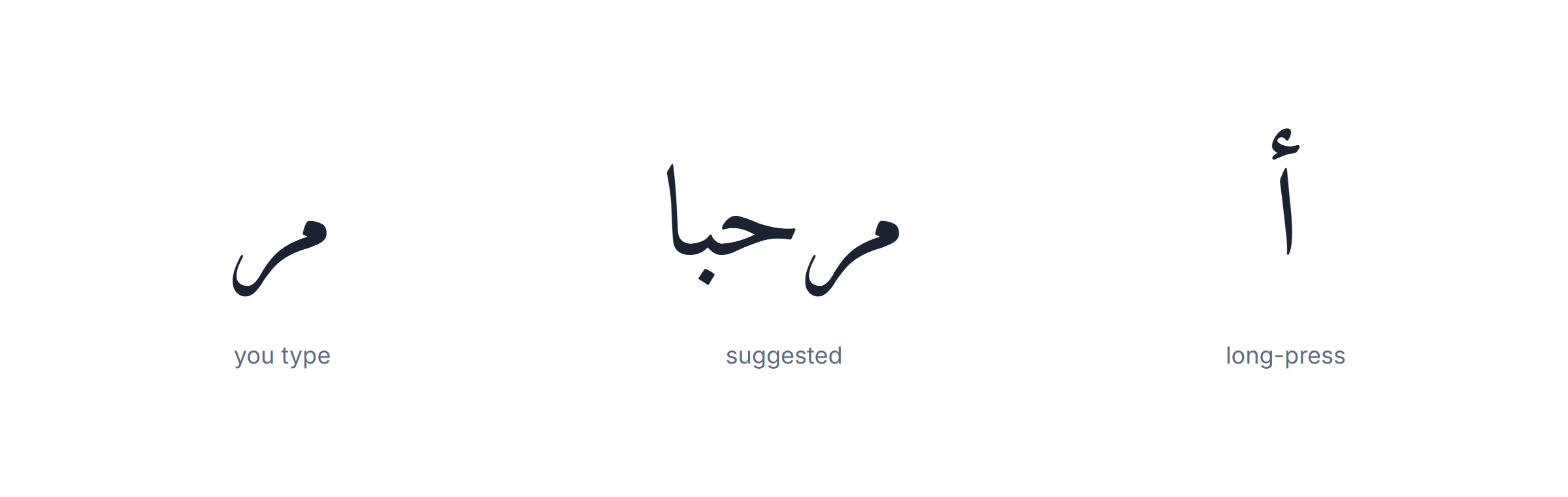
Three things that actually help on mobile. Turn on Arabic autocorrect properly — on most phones it is a separate setting per language, and people enable English only. Learn the long-press positions for the hamza forms; they are hidden under ا and are the mobile equivalent of the shift layer. And use swipe input if your keyboard offers it in Arabic — it handles the letter families better than tapping, because the path disambiguates what the dots would.
Because of all this, a phone score and a desktop score measure different skills. Run the Arabic typing test on the device you actually write on, and do not be discouraged by the gap between them — a slower phone number is normal even for fluent typists.
There is one habit that transfers in both directions, and it is worth building deliberately: finish the word before you look at it. Both on a phone and on a physical keyboard, checking after every letter is what caps most people. Arabic makes the temptation stronger because the letters change shape as they join, so a half-typed word genuinely looks wrong until the next character lands. It is not wrong. Let the word finish.
A last practical point about testing on a phone at all: hold the device the way you normally do. People sit up straight and use two thumbs for an Arabic typing test and then write one-handed on the bus for the rest of the week. The score you want to improve is the one from how you actually type, not from your best posture.
Two questions come up often enough to answer here. Does an Arabic typing test measure words per minute or characters per minute? Both are used, and they are not interchangeable in Arabic: words are short in letters because short vowels are not written, so a words-per-minute figure looks flattering next to an English one while a characters-per-minute figure looks harsh. Check which unit is on the screen before comparing anything.
And does a physical Arabic keyboard help? Only if you already look at the keys, in which case it removes the guessing. If you are learning to touch-type, printed letters slow you down, because the eye keeps checking what the fingers should be learning. Stickers are the cheap middle path: they help for a month and then stop mattering.
Whatever you decide, keep one thing fixed while you measure. Changing keyboard, layout and text at the same time makes every Arabic typing test result unreadable, and it is the most common reason people conclude they are not improving when they are.
Frequently Asked Questions
How does the Arabic typing test work?
Retype the Arabic sentence shown. The timer starts on your first keystroke; letters turn green or red and your WPM, CPM, accuracy and errors are shown live and at the end.
Can I take it without an Arabic keyboard?
Yes — your normal keys are mapped to the standard Arabic (101) layout, so you can practise on any keyboard. An enabled Arabic keyboard works too.
What is a good Arabic typing speed?
Around 20 WPM is solid everyday speed, 30–40 is fast, and 50+ is professional. Beginners start near 10–15 WPM. CPM is a fairer measure for short Arabic words.
How is WPM calculated?
Characters typed divided by five, divided by the minutes elapsed. Dividing by five is the standard definition of a “word” so speeds compare fairly across languages.
How can I improve my speed?
Practise a little daily, learn the home row, and prioritise accuracy over speed. Most people reach 40+ WPM in four to six weeks.
What text does the test use?
Real Arabic proverbs and common sentences — natural letter flow, not random words.
Can I take it on a phone?
Yes — it works in a mobile browser with your phone’s Arabic keyboard.
Is it free and private?
Yes — free, no sign-up, and nothing you type leaves your browser.
© 2026 TheArabicKeyboard.com — A free, private online Arabic keyboard.