English to Arabic Typing
Write Arabic with the Latin letters you already know. Type the sound of the word — mr7ba, 3arabi, salam — and this free english to arabic typing tool converts it to Arabic script instantly, right in your browser. No download, no sign-up.
Last updated: June 2026
Quick answer: To type Arabic from English, switch the keyboard above to Transliteration and spell the word the way it sounds — salam becomes سلام. For Arabic sounds that have no English letter, use numbers: 3 = ع, 7 = ح, 9 = ق. The Arabic appears as you type — then tap Copy.
How English-to-Arabic phonetic typing works
Instead of learning where each Arabic letter sits on the keyboard, you simply write the sound in English letters and this tool maps it to Arabic script in real time. Type kitab and you get كتاب; type madrasa and you get مدرسة. It reads common letter pairs too — sh → ش, kh → خ, th → ث, gh → غ. This is the easiest on-ramp if you can speak some Arabic but don’t know the Arabic keyboard layout.
The Franco-Arabic / Arabizi number key
A few Arabic sounds have no Latin letter, so chat writers borrow numbers whose shape resembles the Arabic letter. These are the numbers this tool understands:
| Number | Arabic letter | Sound | Example |
|---|---|---|---|
| 2 | ء (hamza) | glottal stop | so2al → سؤال |
| 3 | ع (ʿayn) | deep “a” from the throat | 3een → عين |
| 5 | خ (khaa) | “ch” as in Bach | 5aled → خالد |
| 6 | ط (ṭaa) | heavy “t” | 6areeq → طريق |
| 7 | ح (ḥaa) | breathy “h” | 7abibi → حبيبي |
| 8 | غ (ghayn) | like a French “r” | 8areeb → غريب |
| 9 | ق (qaf) | deep “k” | 9alb → قلب |
Conventions vary a little by country — in some regions people write kh for خ and gh for غ instead of 5 and 8, and a few use 8 for ق. This tool accepts the letter pairs as well, so either way works.
Why Arabs type Arabic with numbers
This “chat alphabet” — Franco-Arabic in the Maghreb, Arabizi in the east — appeared in the 1990s and 2000s, when phones, early forums and SMS didn’t support Arabic letters. People wrote Arabic with the Latin keys they had, using numbers for the handful of sounds English can’t spell. It’s still everywhere in texting today, especially in Morocco, Algeria and Tunisia, where French and Arabic mix freely.
Transliteration vs translation — what this tool does
This is a transliteration tool, not a translation tool. It changes the script, not the meaning: type marhaba and you get مرحبا (the Arabic spelling of “marhaba”), not the English word “hello”. If you want the meaning of an Arabic word, use the Translate button on the keyboard above to open a translator.
Examples you can copy
| Type this | You get | Meaning |
|---|---|---|
| salam | سلام | peace / hi |
| shukran | شكرا | thank you |
| 7abibi | حبيبي | my dear |
| 3eed mubarak | عيد مبارك | blessed Eid |
| 9alb | قلب | heart |
| 5alas | خلاص | enough / done |
Adding harakat & typing on mobile
After a word is converted, you can add the short-vowel marks from the diacritics row, or open the dedicated Arabic keyboard with harakat. On a phone, this works the same way — type in your browser with your normal English keyboard, convert, and Copy the Arabic into WhatsApp, Instagram or any app. New to Arabic typing? Try the full Arabic keyboard, the French clavier arabe, or the Arabic typing test.
Learn more about Arabic transliteration
English-to-Arabic typing is a form of transliteration — typing the sounds in Latin letters to get Arabic script:
- For the number-based chat style, see our Franco Arabic keyboard.
- Part of the Arabic Keyboard hub.
How accurate is English to Arabic typing?
Accurate enough to write a message, a name or a search query. Not accurate enough to be the last step before something is printed. That distinction is worth understanding, because it comes from Arabic itself and not from the tool.
The problem is that English to Arabic typing has to guess. English spelling does not record which Arabic consonant you meant. Write salam and the first letter could be س or the emphatic ص; both are written s in English. Write hasan and the h could be ه or ح. These are different letters and different words.
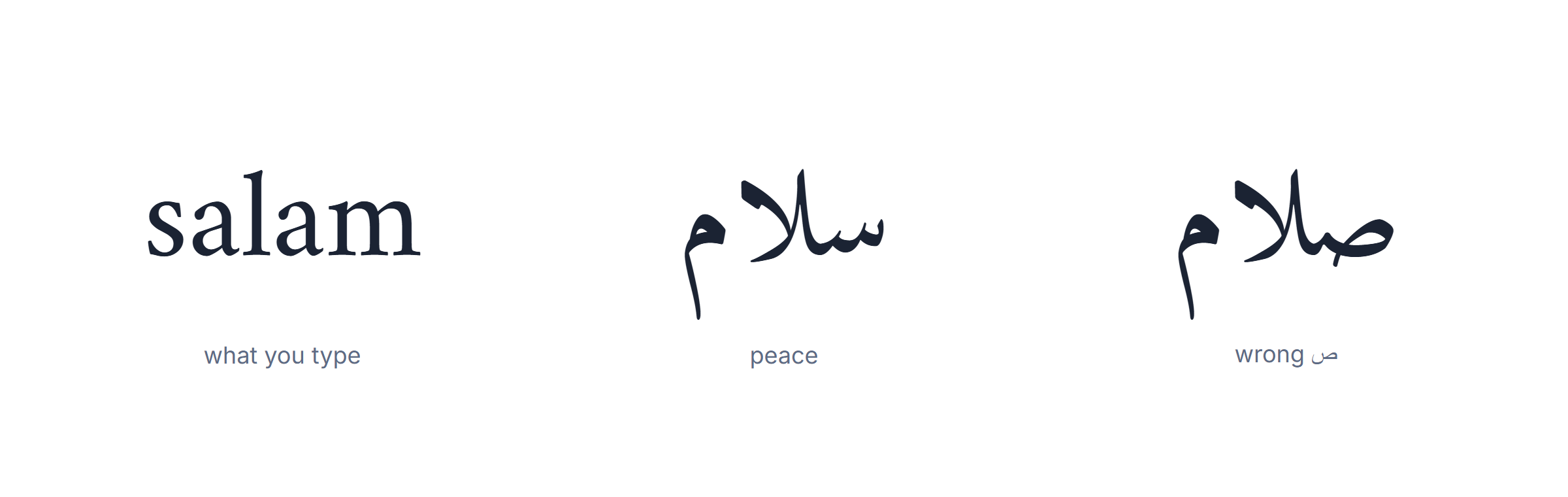
This is exactly why the number code exists. Typing 7 for ح, 9 for ص and 3 for ع removes the guess. English to Arabic typing with the numbers is close to exact; English to Arabic typing without them is a best effort.
Two more places where a guess is unavoidable. Short vowels: Arabic normally does not write them, so kitab becomes كتاب with no marks — which is correct, and is how the word appears in every book. Long versus short a: only you know whether you meant ا or nothing at all.
The practical rule: use English to Arabic typing to produce the text, then read the Arabic before you send it. If you can read the script even slowly, you will catch the one letter in twenty that came out wrong. If you cannot, keep the output for informal use and have a native speaker check anything official.
English to Arabic typing for names and places
Names are the single most common reason people look for English to Arabic typing, and they are also the hardest case. There is often no single correct answer.
Take Mohammed. In Arabic it is one spelling, محمد. In English it is Mohammed, Muhammad, Mohamed, Mohammad and more — all in real passports. Going from English to Arabic is therefore easy: they all converge on the same Arabic word. Going the other way is where it splits.
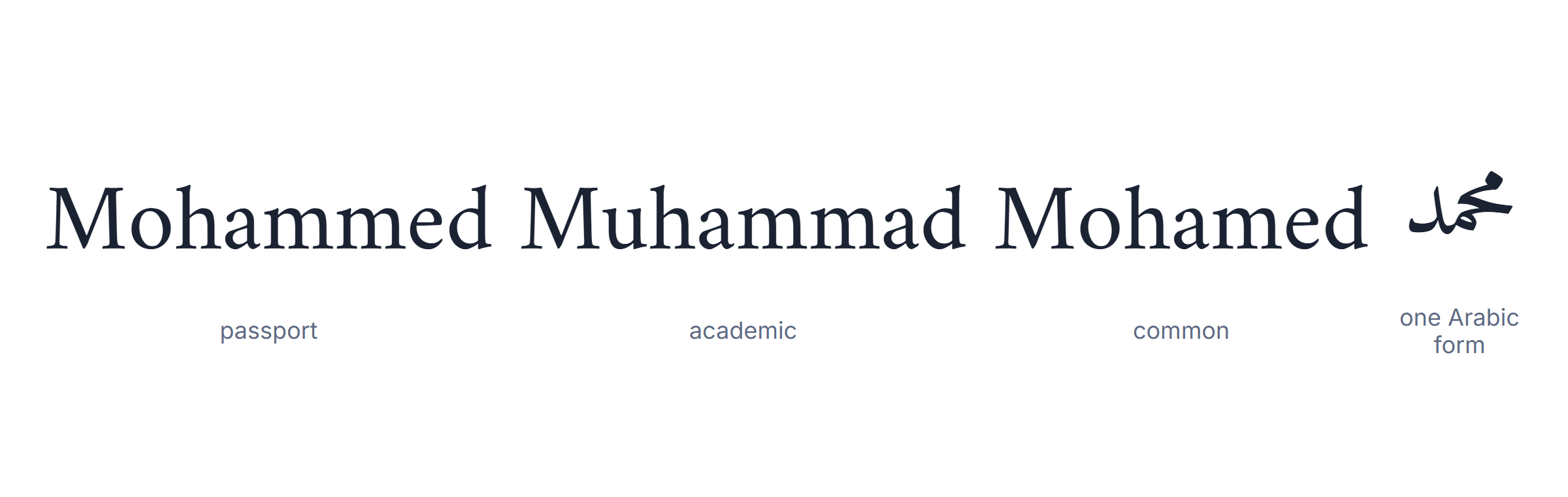
Non-Arabic names are the opposite case. Arabic has no p, no v and no hard g in the standard alphabet, so English to Arabic typing has to substitute. Peter is usually written with ب, giving something read closer to Beter. Victor takes ف. This is not a bug — it is what Arabic speakers do too, and it is why Arabic newspapers write Paris as باريس.
Three rules that save trouble. One: if the name already exists in Arabic, use the Arabic form rather than transliterating the English form — John is يوحنا in a religious context, not a letter-by-letter respelling. Two: if you have a document that already shows the name in Arabic, copy it exactly and do not improve it. Three: pick one spelling and reuse it everywhere; two valid spellings of one name in one file is what gets paperwork rejected.
For a side-by-side view of the named systems — ALA-LC, DIN, ISO and the informal one — the transliteration converter shows them together and works in both directions.
Five mistakes that break English to Arabic typing
All five look like the tool failed. None of them is.
1. Typing the English word instead of the sound. English to Arabic typing converts pronunciation, not spelling. Thought typed letter-for-letter produces nonsense; typed as it sounds it produces something readable. The silent letters of English have no Arabic equivalent to receive.
2. Ignoring the number keys. Most people never learn them and then conclude English to Arabic typing is imprecise. The numbers are the precision: 3, 7, 9, 5 and 2 cover the sounds English cannot spell.
3. Expecting a translation. Typing hello gives you hello written in Arabic letters, not مرحبا. English to Arabic typing changes the script, never the language. If you want the meaning, you want a translator, and it is a different tool for a different job.
4. Pasting into a font that cannot join. The output is correct and the destination breaks it apart. Design software is the usual culprit. Switch to Amiri, Noto Naskh Arabic or Arial and enable Middle Eastern text options.
5. Mixing modes mid-sentence. Half the words typed phonetically and half tapped on the Arabic layout produces inconsistent spelling of the same sound. Choose one method per message.
A sixth habit, not a mistake but worth adopting: type the whole sentence before reading the output. English to Arabic typing works on words, and a word is only finished when you press space — checking after every letter makes correct output look wrong.
Where your text goes, and using it offline
People type names, addresses and messages here, so it is fair to ask what happens to them.
There are two ways to build English to Arabic typing on the web, and they look identical from the outside. Server-side: every keystroke is sent to the provider and the Arabic comes back. That is how translation services work, and your text leaves your device. In the browser: the mapping runs in JavaScript on your own machine. Nothing is sent, because nothing needs to be — a transliteration table is a table, not a service.
This page is the second kind. Your text is not transmitted to a server and is not stored. There is no sign-in, so there is no account for anything to attach to. And because the work happens locally, English to Arabic typing here keeps working if your connection drops.
You can verify that yourself rather than take our word for it: load the page, switch off your Wi-Fi, and keep typing. If it still converts, the text cannot have gone anywhere. The same test exposes any English to Arabic typing tool that is quietly calling a server — it stops working the moment the connection does.
One honest caveat. Once you copy the Arabic out, it lives in your clipboard and then in whatever app you paste it into. What that app does with it is that app’s business, not the keyboard’s. For genuinely sensitive text, that is the step worth thinking about.
Two smaller points, since they come up. A shared or public computer keeps your text in the page until the tab is closed, so close it rather than just navigating away. And browser autofill can remember what you type in ordinary form fields on other sites — that is a browser setting, not something a page controls, and it is worth turning off if you share the machine.
None of this is specific to Arabic. It is the same advice that applies to any text you type into any browser. The difference here is only that English to Arabic typing is often used for names and addresses, which are exactly the kind of thing worth being deliberate about.
Using English to Arabic typing to search, post and fill forms
Producing Arabic text is only half of it. Here is what it is actually for, in the order people need it.
Searching. Arabic search results are a different internet. A query typed in Arabic on Google or YouTube returns Arabic pages, Arabic videos and Arabic sellers that an English query never surfaces. English to Arabic typing is the shortest route there if you do not have the layout installed: convert the word, paste it into the search box, and you are looking at the Arabic web.
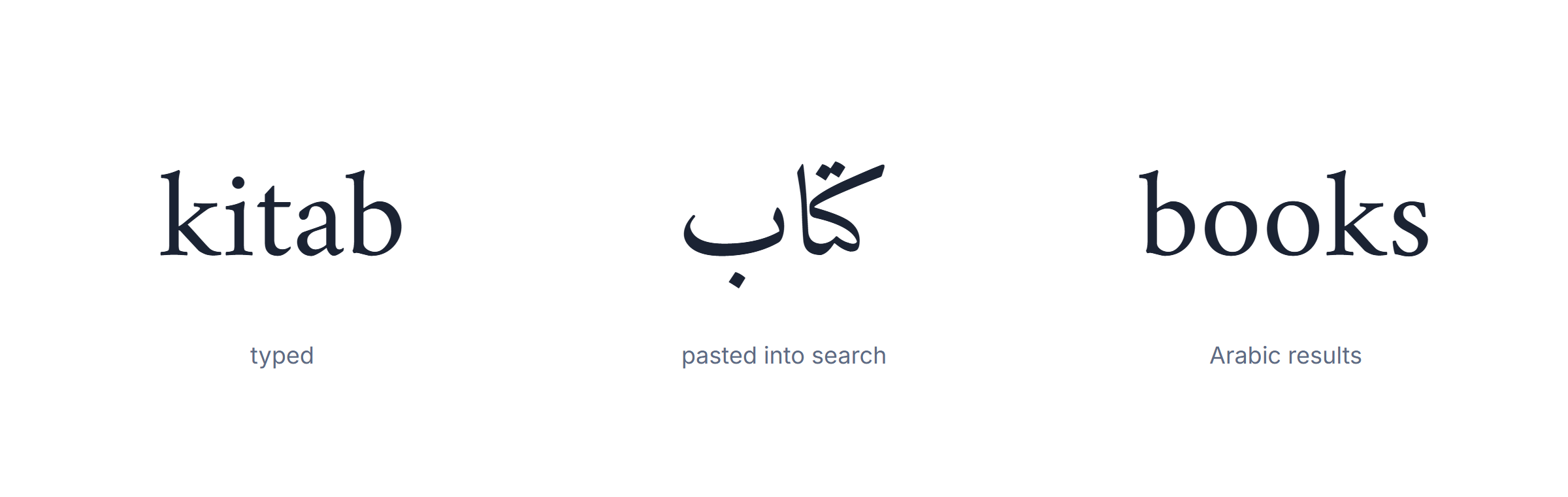
One caveat worth knowing: search engines are unforgiving about the wrong consonant. A near-miss in English still finds the page; a near-miss in Arabic usually finds nothing. This is the one situation where the number keys matter most, because a search box gives you no second chance.
Posting and messaging. WhatsApp, Instagram and X all accept Arabic pasted from elsewhere, and none of them needs the Arabic layout on your device. Type here, copy, paste. Comment fields on Arabic pages are the same. If the text appears reversed in the input box but correct after posting, the box was left-to-right and the text was always fine.
Forms and official fields. Many application forms ask for a name in Arabic script next to the Latin one. This is where English to Arabic typing earns its place, and also where you should slow down: copy the Arabic from an existing document if you have one, rather than generating a fresh spelling. A name that appears two ways across one file causes more delay than a blank field.
What it is not for. Anything that will be printed, engraved or legally filed without a second pair of eyes. English to Arabic typing gets you a correct-looking result quickly; it cannot tell you that the correct-looking result is the wrong word. That check is a human one, and it takes a minute.
If you find yourself using English to Arabic typing every day, that is the signal to add the Arabic layout to your device as well. The two are not rivals: the layout is faster once learned, and this page stays useful for the sounds you are unsure how to spell, and on any machine that is not yours.
Frequently Asked Questions
What’s the difference between translation and transliteration?
Translation changes the meaning (marhaba → “hello”); transliteration changes only the script (marhaba → مرحبا). This tool transliterates.
How do I type Arabic using an English keyboard?
Spell the word how it sounds — shukran → شكرا — and the tool maps the sounds to Arabic letters as you type.
What does 7 mean in Arabic chat?
It’s ح (ḥaa), a breathy H — 7abibi → حبيبي.
What does 3 mean in Arabic texting?
It’s ع (ʿayn), a throat sound with no English letter — 3een → عين.
What is Franco-Arabic / Arabizi?
An informal system for writing Arabic in Latin letters and numbers, born in the 1990s before devices supported Arabic script.
Can I add harakat when typing phonetically?
Yes — convert the word, then add the marks from the diacritics row or use the harakat keyboard.
Does this work on a phone?
Yes — type in your phone browser with your English keyboard, no app needed, then copy the Arabic.
Do you store what I type?
No — conversion happens in your browser and your text never leaves your device.